
BIM Project Management Process: From Planning to Project Delivery
BIM Project Management Process: From Planning to Project Delivery
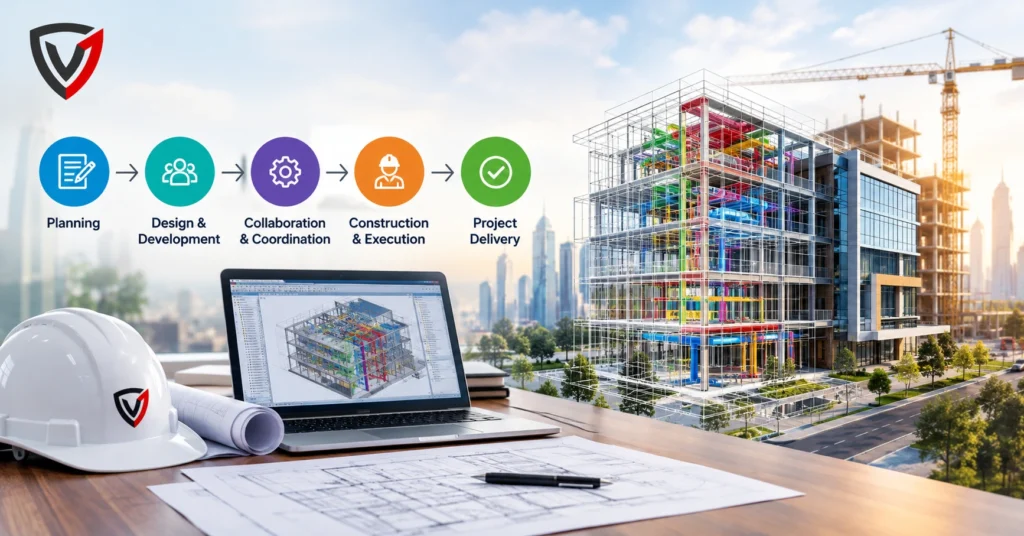
Architecture, engineering, and construction (AEC) projects involve many disciplines producing drawings, models, and documents at the same time. Without structure, information drifts out of sync, and errors surface on site, where they are expensive to fix.
Structured BIM project management gives every stakeholder a shared process and a single source of reliable data. This article walks through that process step by step, from early planning to final handover.
What Is BIM Project Management?
BIM project management is the coordinated management of people, processes, technology, and digital building information across a project’s lifecycle. It uses intelligent 3D models and their attached data, rather than isolated drawings, as the basis for planning, design, construction, and operation.
Building Information Modeling (BIM) is the underlying method: a model-based way of creating and managing information about a built asset. BIM Project Management adds the governance layer. It defines who produces what information, in which format, at what time, and how it is checked and shared.
It also extends beyond the model itself. Standards, responsibilities, collaboration routines, and approval workflows are all part of BIM implementation.
Why Is BIM Project Management Important in Construction?
BIM project management matters because it keeps every discipline working from the same, current information. That reduces misunderstandings, exposes conflicts before construction starts, and gives managers better data for decisions.
- Better communication: one shared model replaces scattered files and email chains.
- Improved coordination: architectural, structural, and MEP teams see each other’s work early.
- Accurate project information: quantities, specifications, and properties live in the model.
- Reduced errors: design conflicts are found digitally rather than on site.
- Better decision-making: options can be compared using visual and data-rich evidence.
- Cost control: quantity data supports budgeting and change assessment.
- Schedule management: model-linked sequencing helps teams test construction plans.
- Risk reduction: audits, approvals, and issue tracking make problems visible sooner.
What Is the BIM Project Management Process?
The BIM Project Management process is a nine-step sequence that moves a project from defining goals to delivering verified information. Each step builds on the previous one, and information quality is checked throughout.
Step 1 – Define BIM Goals and Project Requirements
Teams start by agreeing what BIM must achieve: coordination, cost planning, construction sequencing, or facility management support. They document the project scope, the client’s information requirements, expected deliverables, and who is responsible for each. Clear goals prevent teams from modeling data nobody will use.
Step 2 – Develop the BIM Execution Plan (BEP)
A BIM Execution Plan (BEP) is the document that sets out how BIM will be delivered on a specific project. It covers standards, workflows, roles, software and versions, file naming conventions, model-sharing procedures, and milestones. The BEP is usually updated as the project evolves.
Step 3 – Establish a Common Data Environment (CDE)
A Common Data Environment (CDE) is a centralized, access-controlled platform for storing and managing models, drawings, documents, and approvals. It tracks revisions and statuses, such as work in progress, shared, and published, so teams always know which information is current.
Step 4 – Create and Develop BIM Models
Each discipline builds its own model: architectural, structural, and MEP (mechanical, electrical, and plumbing). Models are developed to the level of information need defined in the BEP, with consistent coordinates, units, and naming so they can be combined later.
Step 5 – BIM Coordination and Clash Detection
Discipline models are combined into a federated model for review. Clash detection is the automated search for geometric conflicts, such as a duct passing through a beam. Issues are logged, assigned, discussed in coordination meetings, and tracked until resolved.
Step 6 – Integrate 4D Scheduling and 5D Cost Management
4D BIM links model elements to the construction schedule, letting teams visualize and test sequencing. 5D BIM links elements to cost data, supporting quantity takeoff, budgeting, and cost control. Together they help planners compare options before committing resources.
Step 7 – Use BIM During Construction
BIM project management in construction extends the model onto the site. Teams use it for site coordination, logistics planning, constructability reviews, visualization of complex areas, and clearer responses to Requests for Information (RFIs). Progress can be compared against the planned sequence, and design changes can be communicated through updated models.
Step 8 – Monitor BIM Data and Project Performance
Managers run model audits, validate information against requirements, and review open issues. They also watch schedule progress and deliverable status. Regular quality checks keep errors from accumulating across model versions.
Step 9 – BIM Handover and Project Delivery
At completion, the design models are updated to reflect what was actually built, creating a verified as-built model. Asset data, documentation, and digital records are handed over through the CDE. This information can then feed facility management and asset management systems.
What Does a Typical BIM Project Management Workflow Look Like?
A typical BIM project management workflow runs in this order: project requirements → BIM strategy → BEP → CDE setup → model creation → coordination → clash detection → 4D/5D integration → construction monitoring → quality assurance → as-built model → digital handover.
The sequence matters because each stage produces the inputs the next one needs. A structured workflow keeps information consistent, makes responsibilities traceable, and lets teams collaborate without overwriting or duplicating each other’s work.
Key BIM Project Management Benefits
The main BIM Project Management benefits come from better information and earlier insight. Results vary by project and team maturity, but common advantages include:
- Stronger multidisciplinary collaboration
- Earlier identification of design conflicts
- Clearer project visualization for clients and site teams
- More reliable scheduling through 4D sequencing
- Better quantity and cost information
- Less rework
- Tighter document control
- Greater project transparency
- More informed decision-making
- Better information for handover and operations
BIM Project Management Best Practices
The following BIM Project Management best practices turn BIM from a software activity into a managed process:
- Establish clear BIM objectives tied to project outcomes.
- Create a detailed BIM Execution Plan.
- Define roles and responsibilities for every team.
- Use agreed BIM standards.
- Maintain a structured CDE.
- Set model naming and version-control rules.
- Hold regular coordination meetings.
- Run scheduled clash detection and model audits.
- Maintain appropriate Levels of Information Need, avoiding both too little and unnecessary detail.
- Train project teams and encourage collaboration.
- Track and resolve BIM issues systematically.
- Review information before project handover.
Together, these practices make BIM implementation predictable: everyone knows what to produce, where to put it, and how it will be checked.
How Is AI Changing BIM Project Management?
AI in BIM Project Management is mainly about automating repetitive checks and surfacing patterns in large volumes of project data. It supports professionals rather than replacing them, because decisions still depend on context, judgment, and accountability.
Practical applications today include:
- Rule-based and machine-assisted model checking
- Grouping and prioritizing clashes so teams address critical ones first
- Classifying and tagging model data and documents
- Automating repetitive BIM tasks such as sheet setup or parameter updates
- Analyzing site images or scans to compare progress with the model
Emerging capabilities include predictive insights on schedule delays, early risk identification, automated quality control, and generative design analysis. Their reliability depends heavily on data quality and varies between tools, so outputs should always be reviewed by qualified people.
What Is the Role of a BIM Project Manager?
A BIM Project Manager is responsible for ensuring BIM is delivered according to project goals and client requirements. Typical responsibilities include:
- Developing the BIM strategy and managing the BEP
- Coordinating multidisciplinary teams
- Establishing BIM standards and information workflows
- Monitoring model quality and managing the CDE process
- Supporting coordination meetings and tracking BIM deliverables
- Ensuring information is prepared correctly for handover
Roles overlap in practice, but in general the BIM Manager sets standards and strategy, often across an organization or project. The BIM Coordinator runs model federation, clash detection, and issue tracking. The BIM Modeler builds and updates models to the agreed specification.
Common Challenges in BIM Project Management
Most challenges come from process gaps rather than software limits. Each has a practical remedy:
- Interoperability: use open formats such as IFC where suitable and test exchanges early.
- Inconsistent standards: adopt one set of standards in the BEP and enforce it.
- Insufficient training: schedule role-based training before modeling begins.
- Resistance to new workflows: show practical benefits and involve teams in planning.
- Poor information management: enforce CDE statuses, naming, and version control.
- Unclear responsibilities: assign ownership in a responsibility matrix.
- Model quality problems: run scheduled audits and publish quality checklists.
- Collaboration gaps: hold regular coordination meetings with clear issue ownership.
Frequently Asked Questions
1. What is BIM Project Management?
BIM Project Management is the planning, coordination, and control of a project using Building Information Modeling. It manages people, processes, standards, and digital information so that teams can collaborate on shared models from early planning through construction and handover.
2. What are the main stages of the BIM Project Management process?
The main stages are: defining BIM goals, developing the BEP, setting up a CDE, creating models, coordinating and detecting clashes, integrating 4D and 5D data, using BIM during construction, monitoring data and performance, and completing BIM handover and project delivery.
3. What are the main benefits of BIM Project Management?
The main benefits are better multidisciplinary collaboration, earlier detection of design conflicts, improved planning and scheduling, clearer quantity and cost visibility, better document control, and reduced risk and rework. Actual results depend on how well processes and standards are applied.
4. How is BIM used in construction project management?
During construction, teams use BIM for site coordination, sequencing, constructability reviews, visualization, RFI resolution, progress tracking, and communicating design changes. Models are updated as work progresses, which supports an accurate as-built record at handover.
5. How does AI help in BIM Project Management?
AI helps by automating repetitive tasks such as model checking, data classification, and clash prioritization. It can also analyze site progress and highlight potential schedule or quality risks. Human professionals still review results and make final decisions.
6. What is the difference between BIM Project Management and traditional project management?
Traditional project management covers scope, schedule, cost, quality, and resources. BIM Project Management adds model-based information management, structured digital collaboration, coordination, and visualization. In practice, the two work together rather than replace each other.